YOU WON'T
BELIEVE
!!! DRAMA !!!
GONE WRONG
REACTION 🔥
Quiet mode
Quiet the thumbnails.
Clickbait art gets its bright colors turned down and its loud text pulled off. The titles stay — just the shouting leaves.
Read along with any video, in any language. Search it, save it. And hide everything that pulls you away.
Plants take in carbon dioxide through tiny pores in their leaves, and water comes up from the roots.
Inside the chloroplasts, light splits the water molecules apart. That is where the oxygen we breathe comes from.
The energy from that light is stored for a moment in two small carrier molecules, ATP and NADPH.
Then the Calvin cycle spends that energy to build sugar out of carbon dioxide.
So the whole story is light in, sugar out, with oxygen as the by-product.
Lectures, tutorials, talks in another language. Read along, find the part you need, take it with you.
Its own column in theater mode, the top of the sidebar otherwise, below the player on a narrow window.
Any line or time plays the video from there. The line being spoken is always lit.
Translate into any language YouTube offers; the translation sits under each paragraph.
Ctrl+F inside the panel. “acucar” finds “açúcar”: accents and case don’t matter.
Copy the whole thing, or export TXT for notes and SRT or VTT for subtitles.
Auto-captions get names wrong. Edit any line; your fixes are saved per video.
Each demo below loops live. Nothing is a video — they're the real CSS states the extension flips on your YouTube, just staged on a mock feed.
Quiet mode
Clickbait art gets its bright colors turned down and its loud text pulled off. The titles stay — just the shouting leaves.
No-comment
Hide the comment section on videos you open anyway. A small note reminds you it's still there when you ask for it.
Blocklist
Add a word and anything carrying it quietly leaves your home feed — drama, reaction, prank, whatever it is today.
You open YouTube to check one recipe.
Three Shorts later, you forget what you came for.
A comment makes your chest tighten a little.
The "Up Next" sidebar is louder than your kitchen.
You close the tab without watching the recipe.
Tomorrow, it could all be quieter.
A quiet timeline of small moments that pile up. If any of them feel like yours, you're exactly who we built this for.
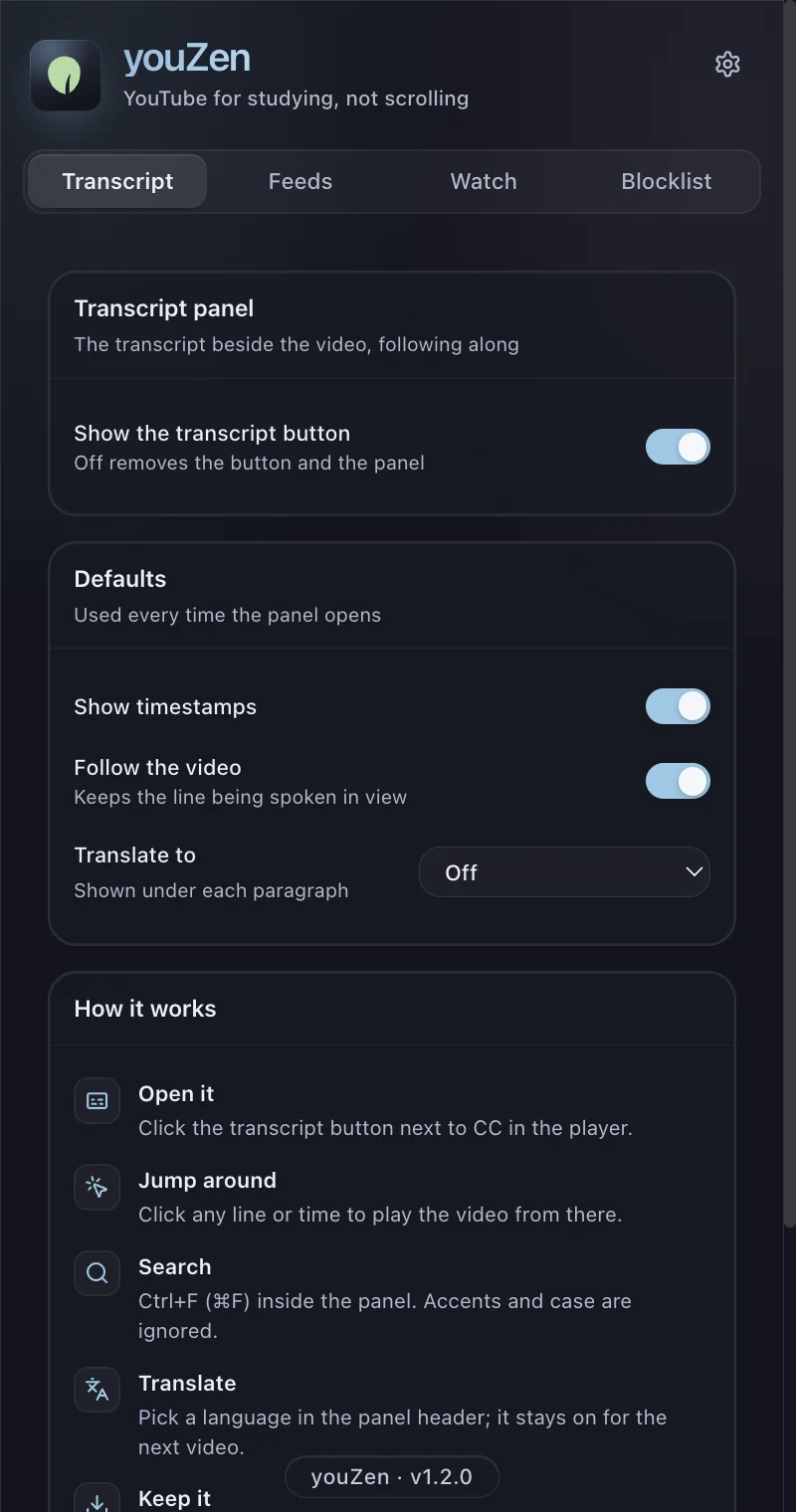
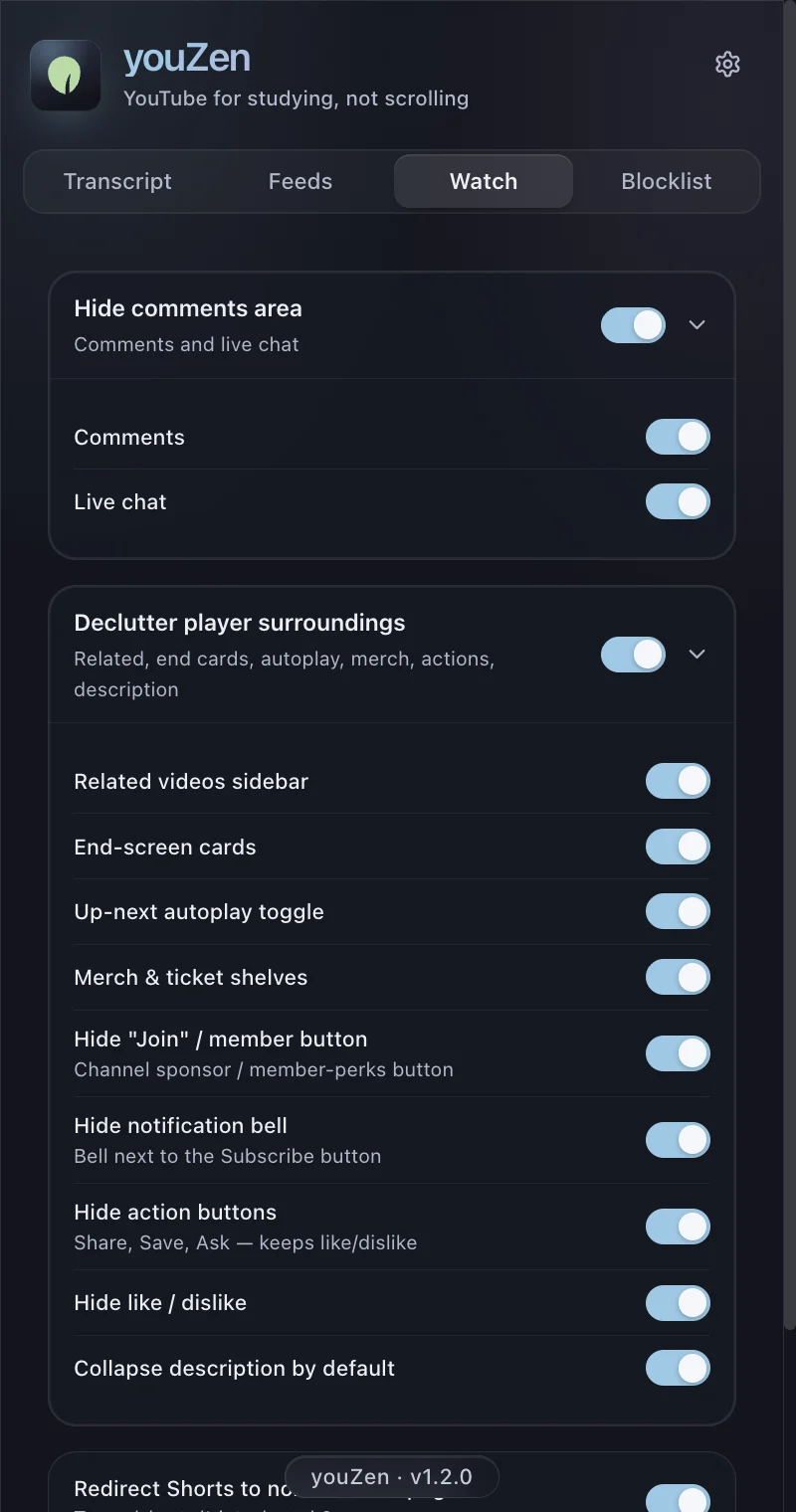
Open it from the toolbar. Turn the transcript on, pick its defaults, hide Shorts, comments and recommendations, block channels or words. Pause it on any tab.
Settings stay in your browser. No account, no sync, no tracking.
Install youZen: the transcript sits beside every video, and the noise goes away. The channels you love stay.
Free · no account · nothing leaves YouTube · open source
From YouTube itself: the same captions the player shows, including auto-generated ones. Videos without any captions have no transcript. youZen never sends the video or the text anywhere.
YouTube sends captions in phrases of a few seconds, without the timing of each word. youZen lights the phrase being spoken, which is as close as the data allows.
No. Nothing. No analytics, no telemetry, no external requests. Everything lives in your browser's local storage. You can audit every line on GitHub.
Probably, eventually — every YouTube extension has to catch up once or twice a year. We watch for it and ship a fix. The extension is small enough that a patch is usually a one-line change.
Right-click on any YouTube page and choose "Pause youZen on this tab." It resumes automatically when you close the tab. Great for the occasional dive into chaos.
youZen is free, forever, on the Chrome Web Store. If you'd like to support the work, there will be an optional "buy me a slow afternoon" link. No paywalls, no pro tier.
Not yet — Chrome extensions don't run on the YouTube mobile app. The extension does work on m.youtube.com in desktop browsers. A proper mobile companion is being sketched.
"You" and "zen", quietly stitched together. The extension isn't trying to fix YouTube — it's trying to hand you back the stillness that the feed keeps taking. youZen is what's left when the noise is gone.